The images below are attributed to this model in the linked OpenAI prompting guide, not recorded API Hop results. The displayed prompts and settings are reusable request examples, not verified reproduction parameters; adapted prompts are labeled. Check geometry, lettering and unintended changes against the input before using an edit.
View prompt
Create a product photograph of a nostalgic toy propeller airplane in clear blister packaging.
Give the airplane rounded wings, a spinning nose propeller, and lightly worn painted-metal details.
Use realistic plastic and metal textures, soft studio lighting, shallow depth of field, and crisp retail printing.
Include only the packaging label "Christmas Memories Edition". Make the design original, with no trademarks or watermarks.
Create a photorealistic candid photograph of an elderly sailor standing on a small fishing boat.
He has weathered skin with visible wrinkles, pores, and sun texture, and a few faded traditional sailor tattoos on his arms.
He is calmly adjusting a net while his dog sits nearby on the deck. Shot like a 35mm film photograph, medium close-up at eye level, using a 50mm lens.
Soft coastal daylight, shallow depth of field, subtle film grain, natural color balance.
The image should feel honest and unposed, with real skin texture, worn materials, and everyday detail. No glamorization, no heavy retouching.
Give me a cool in culture ad / fashion shot for a brand called Thread.
It's a hip young street brand. The ad shows a group of friends hanging out together with the tagline "Yours to Create."
Make it feel like a polished campaign image for a youth streetwear audience: stylish, contemporary, energetic, and tasteful.
Use clean composition, strong color direction, natural poses, and premium fashion photography cues.
Render the tagline exactly once, clearly and legibly, integrated into the ad layout.
No extra text, no watermarks, no unrelated logos.
Create an original, non-infringing logo for a company called Field & Flour, a local bakery.
The logo should feel warm, simple, and timeless. Use clean, vector-like shapes, a strong silhouette, and balanced negative space.
Favor simplicity over detail so it reads clearly at small and large sizes. Flat design, minimal strokes, no gradients unless essential.
Fully transparent background. Deliver a single centered logo with generous padding, clean alpha edges, and no solid backdrop, scenery, checkerboard, or watermark.
Recorded on October 22, 2026 through API Hop. Each result is one request for the named model and mode, not a success-rate, speed or production-quality guarantee. Model replies below remain in their original language.
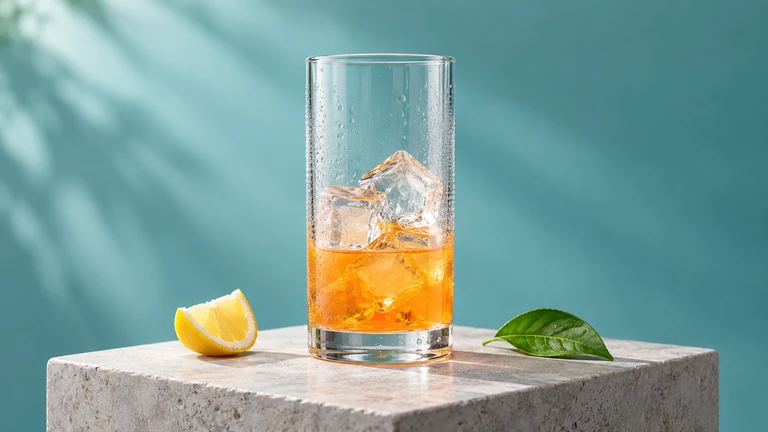
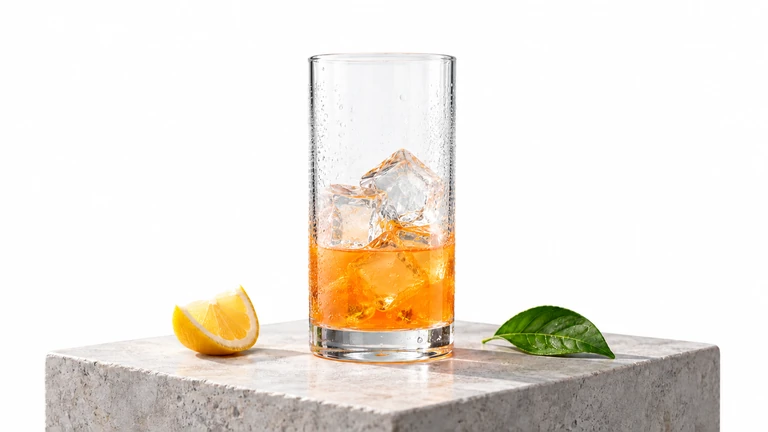
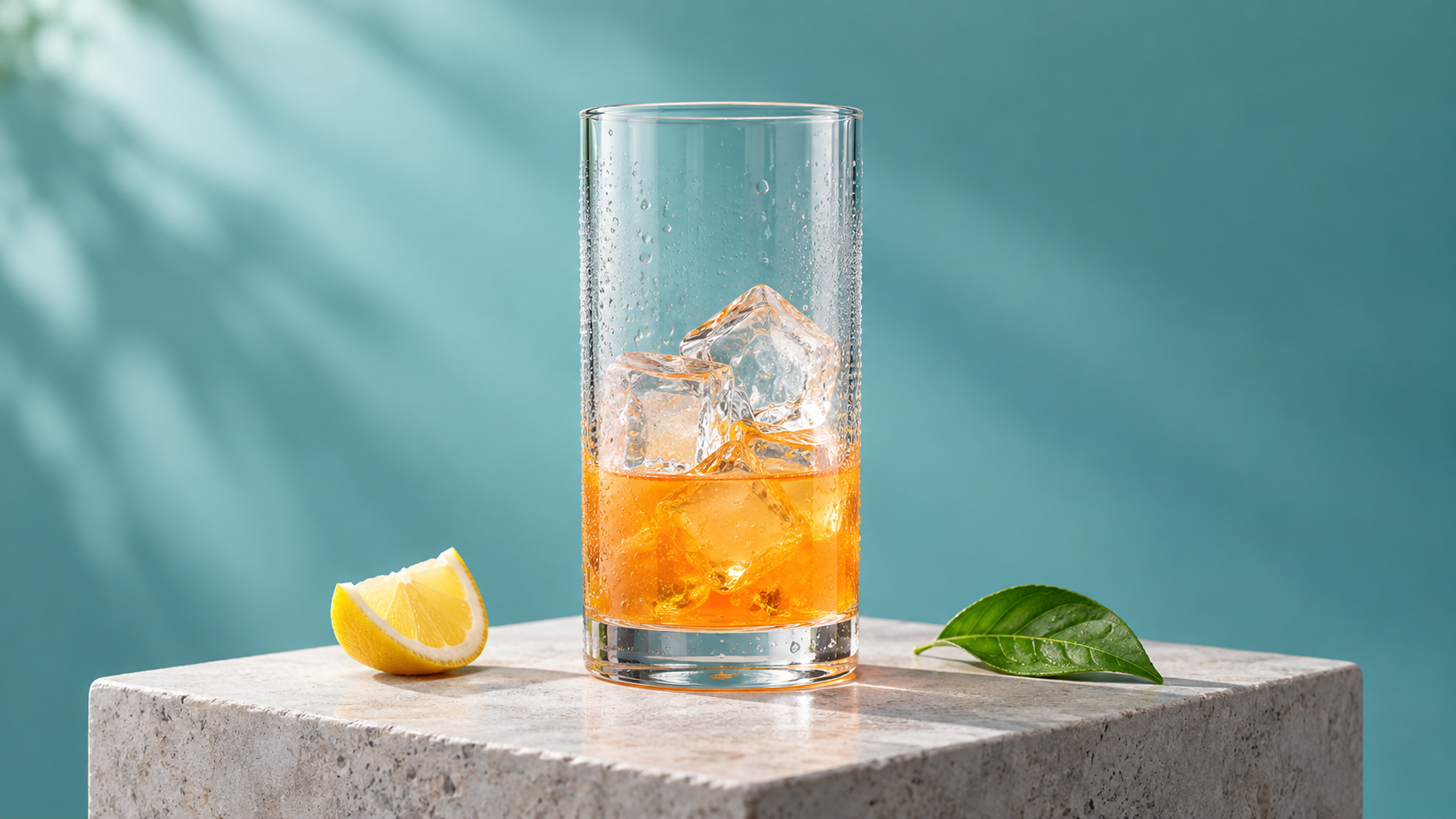
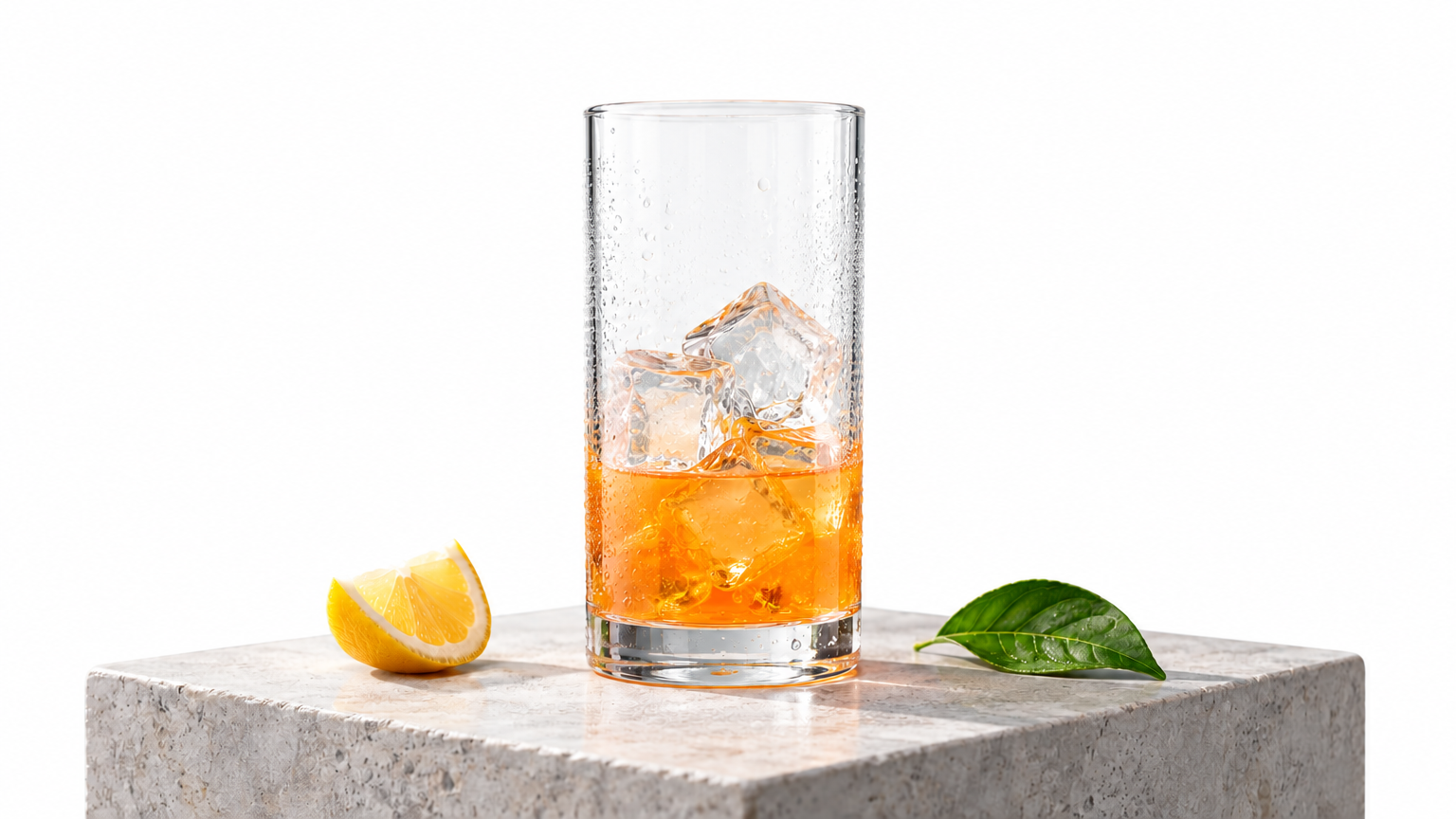
Visual comparison shows a white background and broadly preserved subject and layout, with small changes in surfaces and reflections. This is not a pixel-identical foreground edit. Compare the glass rim, ice, liquid level, lemon, leaf and pedestal with the original image.
This response did not repeat the model name. The record preserves the exact requested model and request ID; it does not independently verify upstream routing.
Complete request and input
POST /openai/v1/images/generations
{
  "model": "gpt-image-2.5-flare",
  "prompt": "Edit the supplied product photograph. Replace only the turquoise background with a plain white studio background. Keep the same clear glass, orange drink level, ice, pedestal, lemon wedge and green leaf, with their shapes, colors and relative positions unchanged. Preserve the full composition. No new objects, text, logos or watermarks.",
  "image_urls": [
    "https://api.apihop.ai/generated/364459846248173568/0.png"
  ],
  "n": 1,
  "size": "16:9",
  "resolution": "1k",
  "quality": "low",
  "output_format": "png",
  "stream": false
}
The images below are attributed to this model in the linked OpenAI prompting guide, not recorded API Hop results. The displayed prompts and settings are reusable request examples, not verified reproduction parameters; adapted prompts are labeled. Check geometry, lettering and unintended changes against the input before using an edit.
View prompt
Extract the product from the input image and isolate it on a fully transparent background.
Output: centered product, crisp silhouette, no halos/fringing.
Preserve product geometry and label legibility exactly.
Add only light polishing. Do not add a solid backdrop, checkerboard, scenery, or shadow.
Do not restyle the product; remove the background and preserve clean alpha transparency.
Turn this drawing into a photorealistic image.
Preserve the exact layout, proportions, and perspective.
Choose realistic materials and lighting consistent with the sketch intent.
Do not add new elements or text.
In this room photo, replace ONLY the white chairs with chairs made of wood.
Preserve camera angle, room lighting, floor shadows, and surrounding objects.
Keep all other aspects of the image unchanged.
Photorealistic contact shadows and fabric texture.
An OpenAI GPT Image 2.5 Series Model for Fast Image Generation
We position GPT Image 2.5 Flare as an AI image model for everyday image generation, commercial asset production, and fast visual iteration. OpenAI released the GPT Image 2.5 series on September 8, 2026, with two versions: Flare and Sunburst. Flare focuses more on generation speed and cost efficiency, while Sunburst is better suited to work that requires greater detail and editing precision.
Compared with GPT Image 2, Flare's main value is not just generating beautiful images, but enabling users to complete multiple rounds of experimentation with less waiting. OpenAI positions it as the default choice for most applications and states that its image generation latency is approximately 50% lower than GPT Image 2, while also improving image detail, reference image preservation, and editing capabilities. OpenAI's official release announcement
We believe Flare is worth testing first for users who frequently need to generate advertising images, social media assets, product images, and product prototypes. However, we do not believe it surpasses GPT Image 2 on every image quality metric. If your output requirements are less demanding but speed matters more, Flare may be a good choice.
A Multimodal Image Model Supporting Both Text-to-Image and Image-to-Image
GPT Image 2.5 Flare can accept text and image inputs and generate new images. It can create visual content directly from written descriptions or modify existing photos, design drafts, and reference images.
We believe these two capabilities suit different workflows. If you simply want to generate a new product promotional image, you can directly describe the subject, composition, lighting, and style. If you already have an image you are mostly satisfied with and only need to replace the background, adjust a person's clothing, or change the text in the image, submit a reference URL through the same RequestBeam Images generations endpoint instead of starting from scratch.
At the API level, Flare supports several quality settings, including low, medium, high, xhigh, max, and auto. Output dimensions are customizable, supporting images up to approximately 4K within the official pixel limits. It can also generate PNG or WebP assets with transparent backgrounds.
We recommend choosing quality and dimensions based on the final use rather than setting every task directly to max. For example, ordinary website thumbnails and social media previews can start at medium; for main product images that need to show extensive detail, increase the quality gradually.
An Image Generation Model Emphasizing Local Edits and Subject Consistency
We believe one important change in GPT Image 2.5 Flare is its greater attention to which parts of an image should not be modified.
In the past, AI image editing often presented a problem: you only wanted to change the color of clothing, but the person's face, background, or overall composition changed as well. For commercial design, this means previously approved assets may need to be reviewed again.
In GPT Image 2.5, OpenAI focused on improving local edits, subject preservation from reference images, and successive revisions. In the official release materials, Higgsfield AI's Head of Product, Axultan Alimkulov, specifically praised Flare's ability to preserve people, composition, and visual identity when modifying images. OpenAI early customer feedback
We think this capability is particularly valuable for product photography, virtual models, and brand assets. For example, e-commerce teams can try producing successive advertising assets with different backgrounds while keeping the product's shape, Logo, and label unchanged.
However, this does not mean it can keep everything perfectly unchanged at the pixel level. We still recommend explicitly telling the model what may be modified and what must be preserved, and inspecting the final image, especially faces, Logos, product packaging, and text on products.
RequestBeam's GPT Image 2.5 Flare Online Tool and API
Through RequestBeam, we want to help you understand more quickly how GPT Image 2.5 Flare performs in real business scenarios.
Simply sign in to RequestBeam, create an API Key, and add a small amount of credit to start trying the model's image generation capabilities through the online tool. During evaluation, you do not need to write API integration code first or purchase a fixed plan for a short-term test. It also reduces the hassle of maintaining accounts on different model platforms yourself.
GPT Image 2.5 Flare Core Features and Domain Strengths
Fast Creative Generation: Suitable for Batch Advertising and Social Media Assets
We believe one of GPT Image 2.5 Flare's main advantages is reducing the time cost of creative trial and error.
For advertising and social media professionals, whether an image is ready to use often depends on many details, including the product angle, background color, a person's pose, and the overall style. Even with a clear creative direction, it is usually still necessary to generate multiple versions to choose from.
In the real API tests published by OneWave on September 8, 2026, Flare's median image generation time at 1024×1024 and high quality was 16.7 seconds, compared with 117.8 seconds for GPT Image 2. We believe a speed difference like this directly changes how users produce assets because trying a new idea involves significantly less waiting. OneWave hands-on test
For users who need to produce many advertising variants, we recommend using Flare during creative exploration, such as preparing several different background, camera, and style directions at once, then selecting versions worth refining further.
Of course, speed cannot replace quality review. We still recommend checking product descriptions, brand elements, and human details in advertising images. In particular, do not skip the final human review just because generation is faster.
Photorealistic Images: More Natural Lighting, Skin, and Materials
GPT Image 2.5 Flare is suitable for generating product photography, lifestyle images, and photorealistic assets. OpenAI emphasizes the new series' improvements in natural lighting, surface textures, and reference fidelity, which we also consider among the more noticeable improvements for everyday users.
One of our customers shared that a portrait generated in a single attempt with Flare satisfied them without any further editing. The creator said the lighting and material rendering in the image were the most surprising aspects.
Of course, not every user achieves their ideal result with Flare. Based on our experience, we recommend describing all the details you need as clearly as possible when using it. For example, when asking Flare to generate product images for a coffee brand, we recommend supplying a packaging reference image and explicitly requiring it to preserve the product proportions, Logo, label, and brand colors, rather than only entering "generate a high-quality coffee advertising image."
Precise Image Editing: Change Only What Needs to Change
From our customer feedback, we have found that image editing accounts for a greater share of everyday work than generation from scratch, with our current data showing a ratio close to 3:1.
For example, the composition and character design of an advertising image may already be complete, but the client wants a different clothing color or the product placed against a new background. The ideal result is to modify only the specified content while keeping other approved details consistent.
In an independent test on September 8, 2026, Genflick tried changing a character's mustard-yellow scarf to cobalt blue while requiring the face, glasses, pose, and background to remain unchanged. At the same canvas aspect ratio, both Flare's medium and high test samples completed the edit while preserving the other major visual elements. Genflick image editing test
However, we note that this preservation is visual similarity, not identical pixels outside the edited region.
For ordinary product images, poster revisions, and clothing changes, we therefore recommend trying Flare first. For brand Logos, complex product structures, or commercial assets that require strict preservation of the original image, Sunburst should be tested further, or traditional image editing tools should be used alongside the model for fine adjustments.
Combining Multiple Reference Images: Maintaining Continuity Across Characters and Scenes
We believe multiple-reference-image capabilities are highly valuable for short-drama storyboards, comic characters, product combinations, and brand visual production.
Suppose you have prepared character reference sheets for two people and a background image for a fixed scene. Your next requirement might be to have these two characters perform a specified action in that scene while retaining their original clothing and character traits.
One of our animated-comic customers described a test scenario using three reference images in total: two characters + one scene. They requested an image of one character handing a cup to the other. In the demonstrated medium and high results, Flare preserved the main character traits, clothing, and environmental elements, and also arranged the characters' positions and actions as requested. This result leads us to believe Flare can already be used in pre-production for some sequential visual content.
Text and Transparent Assets: Suitable for Posters, Icons, and Product Design
Many earlier AI image models could generate attractive-looking posters, but spelling and number errors were common when images needed to include accurate text, dates, or product prices.
In actual footwear and apparel poster tests by our e-commerce customers, Flare also rendered the specified headlines, subheadings, and prices correctly. From this test, we see that GPT Image 2.5 Flare can already be used for practical design work in this area.
Beyond text, transparent backgrounds are another useful capability. The evaluation team at Manus praised Flare's improvements in transparent-background generation in OpenAI's official release materials.
We recommend using Flare for initial event poster drafts, product stickers, website illustrations, social media cards, and simple icons. For images requiring transparent backgrounds, you can use AI to develop a tool that checks the output file's Alpha channel to avoid possible errors.
GPT Image 2.5 Flare Benchmarks and Performance
In this section, we primarily refer to OpenAI's official materials and test results published by OneWave, Genflick, HummingBytes, IMG.LY, and Fuser.
Note that the resolution, quality settings, Prompts, and runtime environments are not identical across tests. We therefore retain important test conditions rather than combining results from different sources directly into a single model ranking.
Image Generation Speed: A 16.7-Second Median, Significantly Faster Than GPT Image 2
In independent tests conducted by OneWave on September 8, 2026, three models used the same Prompt, a resolution of 1024×1024, and the high quality setting. Each model underwent 9 generation tests.
The results were as follows:
Model
Median Generation Time
Cost per Image
GPT Image 1
30.3 seconds
$0.1669
GPT Image 2
117.8 seconds
$0.2112
GPT Image 2.5 Flare
16.7 seconds
$0.0532
In this test set, Flare generated images approximately 7 times as fast as GPT Image 2, a very clear advantage. Another set of tests by HummingBytes observed a similar trend. Across its 19 high quality generations, Flare's average completion time was approximately 25.1 seconds, compared with 128.4 seconds for GPT Image 2. The absolute times differed between the two independent tests, but both showed Flare's clear advantage in image generation speed. OneWave test · HummingBytes test
If your business requires users to try different Prompts frequently, such as an AI image generation website, marketing asset tool, or e-commerce product image generator, we recommend testing Flare first.
However, for online services that need to promise a fixed response time, we recommend measuring P95 and P99 latency in addition to average generation speed, and implementing appropriate timeouts and retries. Do not treat the 16.7 seconds in these tests as a stable service response time.
OneWave · Independent testMedian image generation time2026-09-08 · Same prompt · 1024×1024 · high · 9 generations per model
Seconds · Lower is better
0306090120
GPT Image 130.3 s
GPT Image 2117.8 s
GPT Image 2.5 Flare16.7 s
Independent test results, not a guaranteed response time. Do not combine with the separate HummingBytes test.
Image Generation Cost: Approximately One Quarter of GPT Image 2 Under the Same Test Conditions
Another advantage of Flare is its generation cost.
According to OpenAI's official API pricing, GPT Image 2.5 Flare's standard processing prices are as follows:
Token Type
Price per Million Tokens
Text input
$5.00
Cached text input
$1.25
Image input
$8.00
Cached image input
$2.00
Image output
$30.00
It is worth noting that Flare and GPT Image 2 have the same per-Token prices. The difference in actual image generation cost mainly comes from Token consumption during generation, rather than a reduction in the unit Token price. OpenAI Flare model pricing
In OneWave's test, with the same Prompt, resolution, and high quality, Flare cost $0.0532 per image, compared with $0.2112 for GPT Image 2. Flare's actual cost was approximately one quarter of the older version's.
We believe this is very important for SaaS products that need to generate images at scale. For example, if an AI marketing tool allows users to repeatedly modify Prompts, generate candidate images, and select a final version from multiple results, a lower cost per image directly affects the entire product's gross margin.
Before a formal integration, we recommend separately testing image quality and Token consumption at medium, high, and xhigh to find the lowest quality setting users can accept.
OneWave · Independent testMeasured cost per generated image2026-09-08 · Same prompt · 1024×1024 · high · 9 generations per model
USD per image · Lower is better
0.000.060.120.180.24
GPT Image 1$0.1669
GPT Image 2$0.2112
GPT Image 2.5 Flare$0.0532
Per-image costs from this test, not per-million-token prices or API Hop prices.
Text Generation Accuracy: 24 Correct Text Items, but Complex Posters Still Need Human Review
We consider text accuracy within images an important indicator of whether an AI image model can enter commercial design workflows.
OneWave used three models to generate a pricing comparison table containing 24 specified text items, including numbers, decimals, prices, and specific strings.
In this test, GPT Image 2 and GPT Image 2.5 Flare both correctly generated all 24 items, while GPT Image 1 correctly generated only 19.
In addition, some of our e-commerce users recently compared three tasks: an e-commerce Banner, a product detail image, and a product brochure. Flare correctly generated all 583 requested characters across the three test images.
We therefore believe these results show that Flare can already handle many types of text-bearing visual content, such as event posters, menus, product packaging concepts, and social media assets with explanatory text.
For general promotional posters, we recommend using Flare to produce the first draft. If your business scenario has strict text requirements, we instead recommend using Flare to generate the background and visual elements, then adding the final text with a programmatic layout tool, which is usually more reliable.
OneWave · Independent testCorrect text items out of 24Price comparison table · Numbers, decimals, prices and specific strings
Correct text items · Higher is better
06121824
GPT Image 119/24
GPT Image 224/24
GPT Image 2.5 Flare24/24
One task, not an overall accuracy rate. The separate customer test of 583 characters is not included.
Complex Instruction Following: All 8 Constraints Met, but the Specified Style May Still Be Missed
In real commercial design, a Prompt often does more than describe a subject: it includes multiple requirements that must be met simultaneously.
OneWave designed a complex Prompt of approximately 1253 characters containing 8 conditions to verify, such as object counts, placement order, text positions, lighting direction, and elements that must not appear.
In this test:
Model
Constraints Met
GPT Image 1
6/8
GPT Image 2
7/8
GPT Image 2.5 Flare
8/8
GPT Image 2.5 Sunburst
8/8
These results show that, for this task, Flare not only correctly understood which objects to generate but also handled spatial relationships between objects and exclusion conditions. OneWave complex Prompt test
However, we believe this success should be distinguished from complete control over artistic style.
In feedback from one of our customers, their business workflow involved nine-panel storyboards. After switching from GPT Image 2 to Flare, the same Prompt correctly generated nine frames in a single attempt, preserving the main character traits and largely following the specified shot order. However, although the Prompt requested an illustration style, the actual result still leaned noticeably toward photorealistic cinematic imagery.
This shows that understanding scene structure does not mean the model will necessarily follow every visual style requirement strictly. Based on our experience, we recommend using structured Prompts that describe the subjects, positions, counts, text, and content that must remain unchanged separately. This tends to produce more stable image results than an unstructured text description.
If a project places particular emphasis on a consistent visual style, such as comics, brand illustrations, or animation storyboards, we recommend adding reference images to make the output more controllable.
OneWave · Independent testSatisfied constraints out of 8Complex prompt of approximately 1,253 characters · 8 verifiable conditions
Satisfied constraints · Higher is better
02468
GPT Image 16/8
GPT Image 27/8
GPT Image 2.5 Flare8/8
GPT Image 2.5 Sunburst8/8
Task-specific results do not establish full control over artistic style.
Image Editing Performance: Better Local Edits, but Not Necessarily Faster Than GPT Image 2
OpenAI identifies precise image editing as one of GPT Image 2.5's main improvements, but we believe editing results and editing speed still need to be examined separately.
OneWave used the same source image in its editing tests and obtained the following results:
Model
Median Editing Time
Cost per Edit
GPT Image 1
38.7 seconds
$0.1686
GPT Image 2
15.3 seconds
$0.0143
GPT Image 2.5 Flare
17.0 seconds
$0.0143
In these tests, Flare was not faster than GPT Image 2; it was slightly slower, and the editing costs were identical.
On the other hand, Genflick's character scarf recoloring tests for Flare and Sunburst showed that both models could complete local color changes while preserving the main character traits and the original canvas aspect ratio. Genflick's transparent teapot icon test also verified that Flare can output a transparent PNG that genuinely contains an Alpha channel. OneWave editing performance test · Genflick editing and transparent-background tests
We believe Flare offers greater upgrade value if your business primarily generates images from scratch. However, if users mainly make successive edits to existing images, there is no need to switch immediately just because a new version has been released.
Our recommendation is to keep GPT Image 2 if it already meets your business needs, and consider expanding Flare's use only when it clearly reduces erroneous changes and manual rework.
OneWave · Independent testMedian image editing timeSame source image used for editing
Seconds · Lower is better
010203040
GPT Image 138.7 s
GPT Image 215.3 s
GPT Image 2.5 Flare17.0 s
Flare was slightly slower than GPT Image 2 in this editing test.
GPT Image 2.5 Flare Compared with GPT Image 2, GPT Image 2.5 Sunburst, Nano Banana 2.1, and FLUX.3 Image
Compared with GPT Image 2: Flare Is Better for Frequent Generation, While the Older Version Still Has Editing Value
We believe GPT Image 2.5 Flare's main advantage over GPT Image 2 is completing image generation tasks of similar quality with lower time and Token costs.
In OneWave's tests under the same conditions, Flare's median generation time was 16.7 seconds, compared with 117.8 seconds for GPT Image 2. The corresponding costs per image were $0.0532 and $0.2112.
Based on these figures, we are more inclined to choose Flare first for new projects that need frequent image generation.
However, in tests editing existing images, GPT Image 2 actually had a slightly lower median time, and both models had the same cost. This shows that Flare's speed advantage does not extend to every editing task. OneWave comparison test
Our recommendation is this: if you use GPT Image 2 to build a text-to-image product, prioritize testing a migration to Flare. If the product mainly provides photo modifications, background replacement, and local edits, first compare editing success rates and subject preservation before deciding whether to upgrade.
For new projects, we recommend putting Flare first on the default shortlist because it has more pronounced practical advantages in speed and cost.
Compared with GPT Image 2.5 Sunburst: Flare for Fast Generation, Sunburst for Detailed Creation
GPT Image 2.5 Flare and Sunburst belong to the same model family, but they do not target exactly the same work.
OpenAI's official definitions are clear: Flare is a smaller model that prioritizes speed, while Sunburst is a base model that places greater emphasis on image quality and editing precision.
Across HummingBytes' 19 high quality generation tests, Flare's average time was approximately 25.1 seconds, compared with 36.3 seconds for Sunburst. Flare was noticeably faster in this test set. HummingBytes hands-on comparison
In OneWave's complex Prompt test, both Flare and Sunburst met all 8 constraints. Some of Genflick's simple poster and local recoloring tests also found no clear advantage in task completion rates from moving up to Sunburst.
We believe that when quality requirements are already met, using Sunburst may only add waiting time without delivering a sufficiently clear benefit.
We recommend a two-stage model strategy: first use Flare to generate different creative versions quickly, then try Sunburst for high-precision revisions after the user settles on a composition and style.
For example, an advertising design tool could use Flare to generate ten concept images, then use Sunburst to refine the details of the final selected image. This makes it easier to balance efficiency and quality.
Compared with Nano Banana 2.1: Flare Is Worth Prioritizing for Character Consistency, While Product Photography Needs Hands-On Comparison
Google's Nano Banana 2.1 is one of the image models we believe is worth evaluating alongside Flare.
On October 6, 2026, Fuser conducted a set of hands-on tests containing five tasks to compare Nano Banana 2.1 and GPT Image 2.5 Flare.
In these tests, Nano Banana 2.1 performed better in product photography, handling the specified backgrounds and shadows more accurately. Flare had advantages in character consistency, some photorealistic scenes, and product background editing. Both correctly generated the requested content in the specified poster text test. Fuser hands-on test of both models
We believe these results are useful because they show how closely an image model's strengths depend on the specific task.
If your product needs to preserve a virtual character's facial traits and clothing details across multiple new scenes, we recommend testing Flare first.
If your business mainly involves product photography, product presentations, and main e-commerce images, Nano Banana 2.1 is also worth testing, particularly for the accuracy of product geometry, materials, and lighting.
For commercial integration, we recommend using your own product images as references and generating multiple images with each model at the same target resolution. Compare first-attempt success rates, final usability rates, and the actual cost per acceptable image before deciding which better suits your business.
Compared with FLUX.3 Image: Similar Text Accuracy, with FLUX.3 Worth Prioritizing for Strict Local Editing Tests
We believe FLUX.3 Image is another model worth comparing with Flare, especially for image editing and brand asset production.
In a set of tests published on October 2, 2026, Fuser compared the two models using three text tasks and two local editing tasks.
For the text tests, FLUX.3 Image and GPT Image 2.5 Flare both correctly generated all 583 specified characters, with no noticeable difference observed.
However, FLUX.3 Image's performance in local editing tests deserves closer attention.
For example, when replacing a paper cup with a mug in a cafe photo, Fuser measured that 7.7% of pixels outside the specified editing region changed beyond the set tolerance with Flare, compared with only 0.4% for FLUX.3 Image. In another poster date revision, the proportions of changes in non-target regions were 25.0% and 12.9%, respectively. Fuser FLUX.3 Image hands-on comparison
We believe these figures show that, although Flare has improved its local editing capabilities, FLUX.3 Image may have an advantage in some scenarios that require strict preservation of the original image.
Our recommendation is this: if you mainly build general-purpose image generation, advertising creative, and rapid design tools, consider Flare first. If your application needs to make very small changes to finished posters, product photos, or brand images while keeping the remaining regions as unchanged as possible, prioritize FLUX.3 Image as a comparison model.
For the latter, what matters more to us is not whether the model generates attractive images, but whether it can accurately modify the specified region without disrupting previously approved content.
GPT Image 2.5 Flare API integration FAQ
How do I call this model through API Hop?
Create a API Hop API key for your server and send JSON to POST /openai/v1/images/generations with the model ID shown on this page and a prompt. Omit image_urls for a new image. Check the current model price before submitting: generation is billable, not a free connectivity check.
How do I edit a reference image through API Hop?
Send your selected model, an edit prompt and image_urls to POST /openai/v1/images/generations. Supply up to 16 publicly accessible HTTP(S) image URLs. This API Hop endpoint uses JSON for generation and reference-image editing. Its current public contract does not support multipart uploads, base64 data URIs, masks or a separate /images/edits route. Describe the changes and the details to preserve, then review the whole result. For another edit, supply the previous result again as a reference URL; this endpoint does not retain conversation history.
Where is the generated image URL?
With stream: false, API Hop waits for completion and returns image URLs in data[].url, together with available usage information. Check the HTTP status and response body before reading the result. Use the response format documented for this endpoint, not an upstream Base64 response parser. Download completed images to your own storage when your application needs durable access.
How should I read a streaming result?
With stream: true, read SSE events through image_generation.completed and [DONE], and handle error events. Partial image previews are not guaranteed. This Images generations endpoint does not return a job ID for polling. If the connection ends before completion, retain any request ID and check request records and account usage before submitting another potentially billable generation. A disconnected client does not prove that generation was cancelled.
curl -X POST "https://api.apihop.ai/openai/v1/images/generations" \
  -H "Authorization: Bearer <API_KEY>" \
  -H "Content-Type: application/json" \
  -d '{"model":"gpt-image-2.5-flare","prompt":"Create a product photograph of a nostalgic toy propeller airplane in clear blister packaging.\nGive the airplane rounded wings, a spinning nose propeller, and lightly worn painted-metal details.\nUse realistic plastic and metal textures, soft studio lighting, shallow depth of field, and crisp retail printing.\nInclude only the packaging label \"Christmas Memories Edition\". Make the design original, with no trademarks or watermarks.","n":1,"size":"1:1","quality":"low","output_format":"png","stream":false,"resolution":"1k","image_urls":[],"background":"auto"}'
API Hop request and response limits
Create a API Hop API key for your server and send JSON to POST /openai/v1/images/generations with the model ID shown on this page and a prompt. Omit image_urls for a new image. Check the current model price before submitting: generation is billable, not a free connectivity check.
Send your selected model, an edit prompt and image_urls to POST /openai/v1/images/generations. Supply up to 16 publicly accessible HTTP(S) image URLs. This API Hop endpoint uses JSON for generation and reference-image editing. Its current public contract does not support multipart uploads, base64 data URIs, masks or a separate /images/edits route. Describe the changes and the details to preserve, then review the whole result. For another edit, supply the previous result again as a reference URL; this endpoint does not retain conversation history.
With stream: false, API Hop waits for completion and returns image URLs in data[].url, together with available usage information. Check the HTTP status and response body before reading the result. Use the response format documented for this endpoint, not an upstream Base64 response parser. Download completed images to your own storage when your application needs durable access.
With stream: true, read SSE events through image_generation.completed and [DONE], and handle error events. Partial image previews are not guaranteed. This Images generations endpoint does not return a job ID for polling. If the connection ends before completion, retain any request ID and check request records and account usage before submitting another potentially billable generation. A disconnected client does not prove that generation was cancelled.